
Using a discount code and why it sometimes doesn't work
Do you have a discount code, for example from an email from us or from a promotion? Below you can read where to enter it and why a code sometimes isn't applied.
How to enter a discount code
You enter the code during the ordering process, at the Details or Review and pay step.
- Click Discount code? at the bottom right under Your order
- Type or paste the code into the Discount code field.
- Click Apply. If the code is valid, you'll see Discount applied. and the discount will appear on a separate line in the overview.
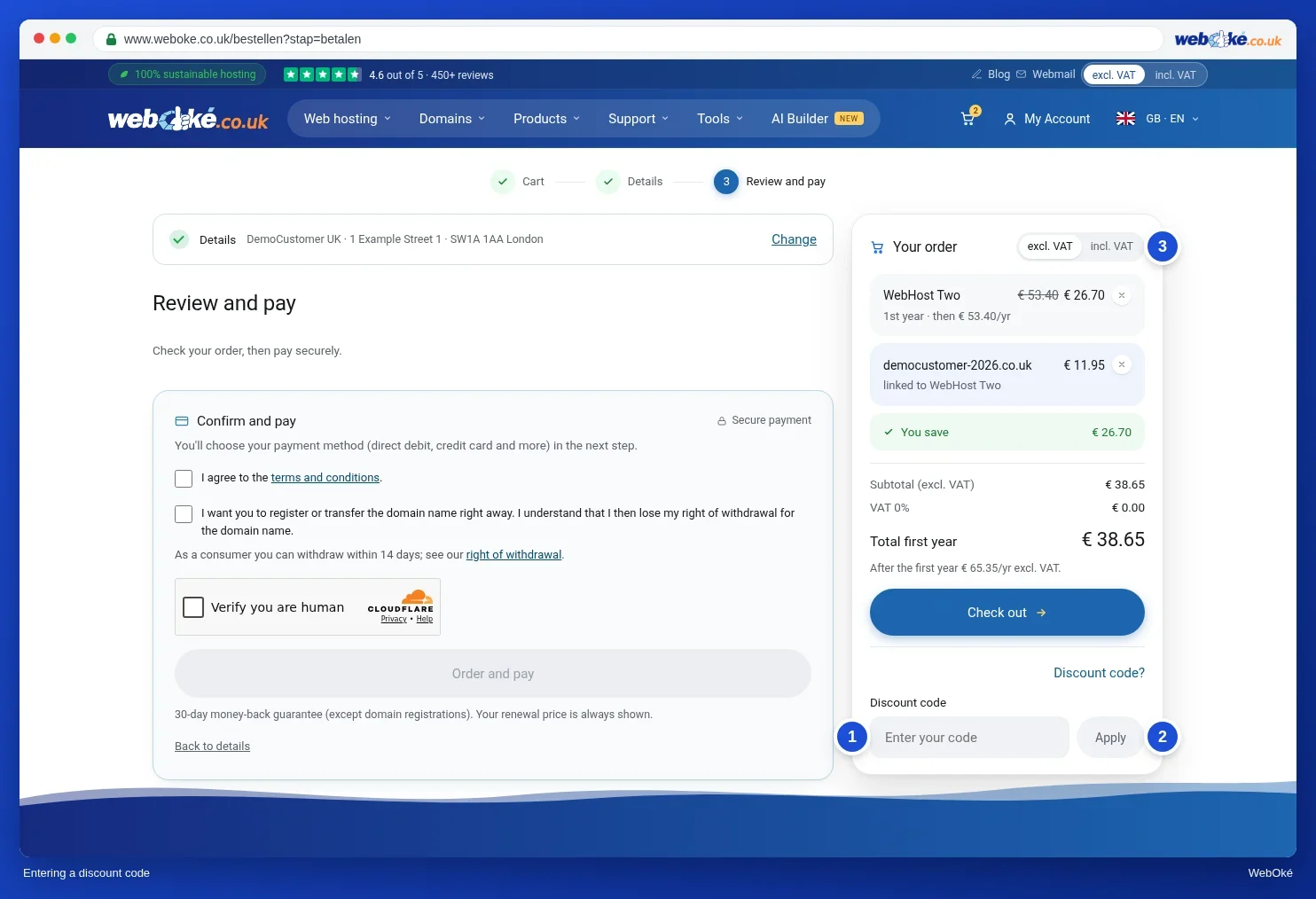
If you order via Order now on a package page with a welcome discount, that discount is often already applied automatically. You can remove a discount with the X after the Discount line.
Why isn't my discount code working?
Do you see the message "We don't recognise this discount code or it doesn't apply to your basket"? Then it's usually one of these things:
- Typo or extra space. Copy the code exactly, preferably by copying and pasting it. Upper or lower case doesn't matter.
- The code has expired or been used up. Many codes are valid until a certain date or for a maximum number of uses.
- The code doesn't apply to this product. A code may only apply to certain packages or domain extensions. Check the email or promotion the code came from to see which product it's for.
- You've already used the code. Some codes are one time use per customer.
- The code is only for existing customers. In that case, place your order while logged in to your own account.
- You already have a discount. Discounts don't stack. If you enter a code, an automatic welcome discount is cancelled and you'll only get the discount from your code. If the welcome discount is higher, leave the code field empty.
Does the discount also apply when renewing?
Usually a discount code only applies to the first term. After that, you pay the regular price. In the shopping basket, you'll see per product what the first year costs and what it costs after that. Some codes also apply to renewals. This will be stated in the promotion where you got the code.
Discount code or promo code?
A discount code is different from a promo code. A promo code appears under a personal link in an email from us, for example to pay an invoice. You don't enter that in the shopping basket, but under Support › Enter promo code. See Entering a promo code: safely using a link from our email.
See also: How do I order a hosting package?
Detailed explanation with screenshots: The shopping basket: changing, removing and discount code in the My WebOké manual.