
Chapter 2 · 2.6
Filling in your details (private or business, VAT number)
Watch it in a short video
In the second step, you fill in your details. These create your account for My WebOké and appear on your invoice. You don't choose a password here yet: you'll set that after placing your order, see After your order: tracking delivery and the welcome email.
Already a customer?
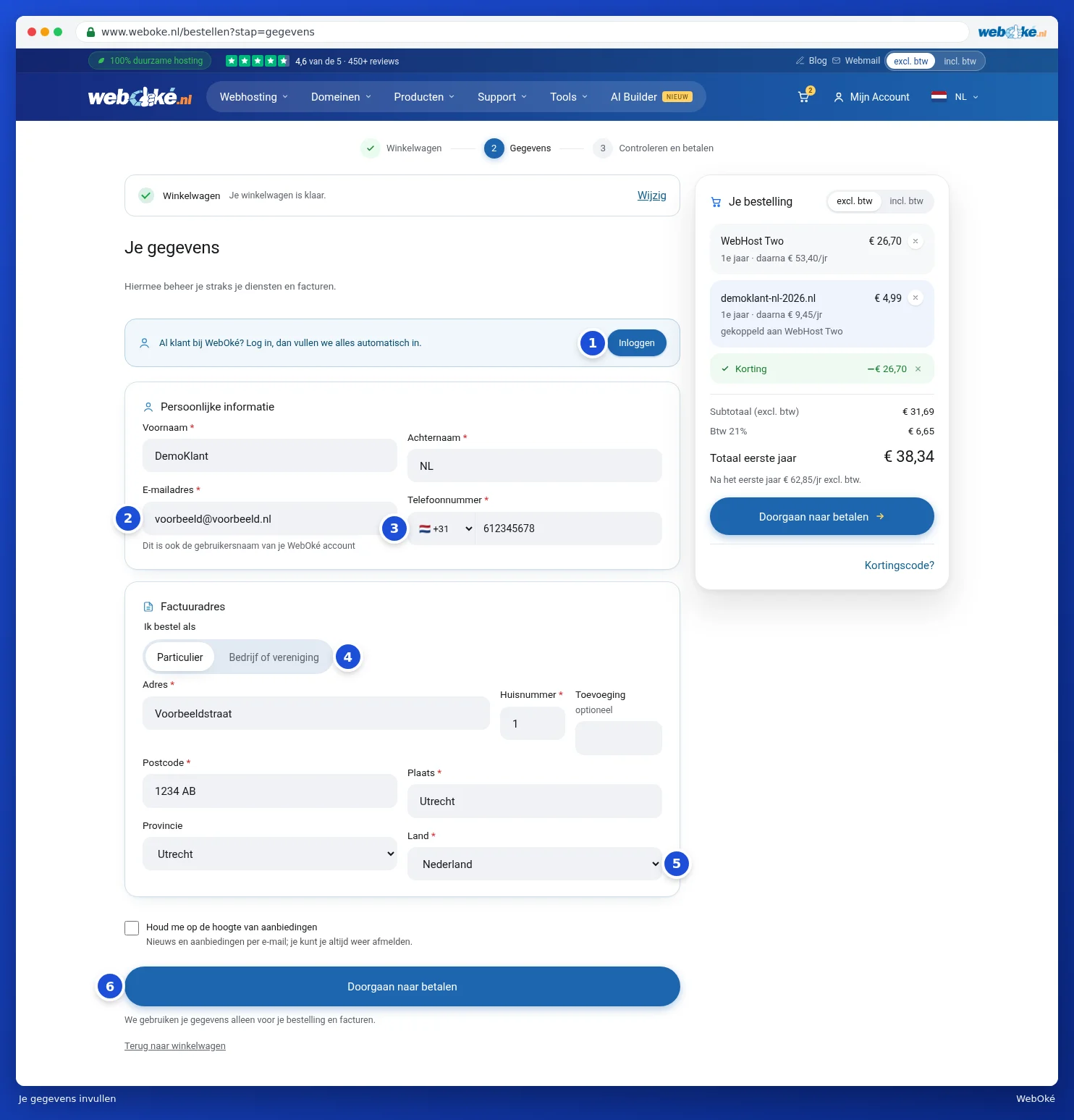
Do you already have an account with WebOké? Then click Log in at the top (1). After logging in, we'll fill in your details automatically and the order will be added to your existing account. See also Ordering something extra when you're already a customer.
Filling in your details
- Under Personal information, fill in your First name, Last name and Email address (2). This email address will also become the username for your WebOké account, so choose an address you check regularly.
- Under Phone number, first choose the country (3) and then enter your number.
- Under I am ordering as (4), choose Private or Company or association.
- Fill in your invoice address: Address, House number, an Addition if applicable, Postal code, City and State.
- Check under Country (5) that the correct country is selected.
- Would you like news and offers by email? Then tick the box next to Keep me posted about offers. You can also leave it unticked.
- Click Continue to payment (6). You haven't ordered anything yet at this point: first you'll check everything, see Review, confirm and check out.
Please note: do you get a message that an account already exists with this email address? Then log in with that account, or choose a different email address.
Ordering as a business
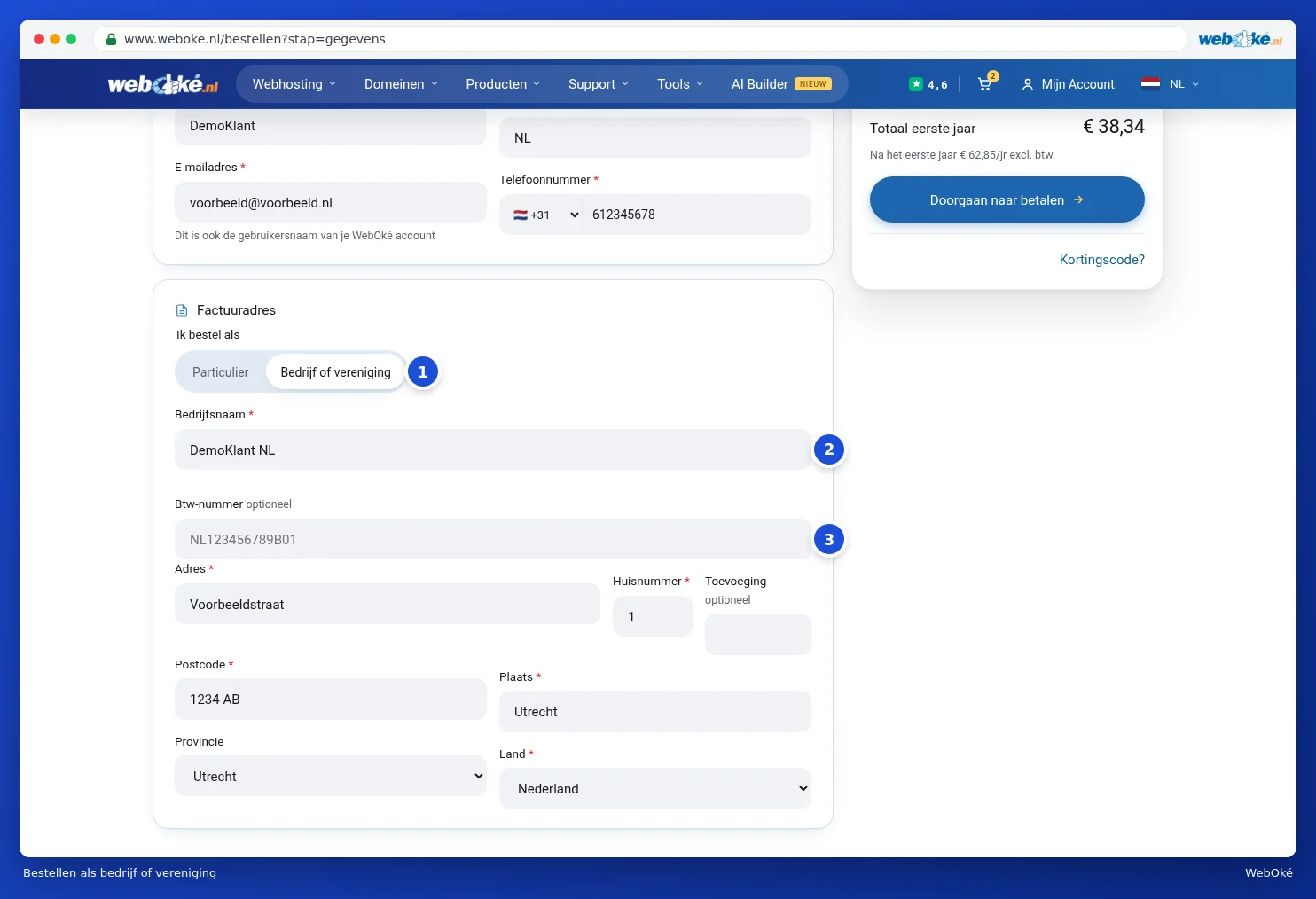
- Under I am ordering as, choose Company or association (1).
- Fill in the Business name (2). This is required.
- Do you have a VAT number? Fill it in under VAT number (3), for example NL123456789B01. This field is optional.
We check your VAT number immediately against the European VAT database (VIES). If the number is valid, you'll see VAT number is valid. If we can't verify it or it isn't known there, you can simply continue. If you order as a business from another EU country with a valid VAT number, you'll be charged without Dutch VAT.
Tip: you can update your details later in My WebOké, see Changing your details and invoice address.